Who is it for?
- People with a lot of meetings!
- People with focus/attention issues (e.g. ADHD), who need frequent reminders.
- Anyone who wants to know, at a glance, what's up next.
- Anyone who needs to book meeting rooms, especially for periodic meetings without assigned rooms.
Get started

What's the best setup?
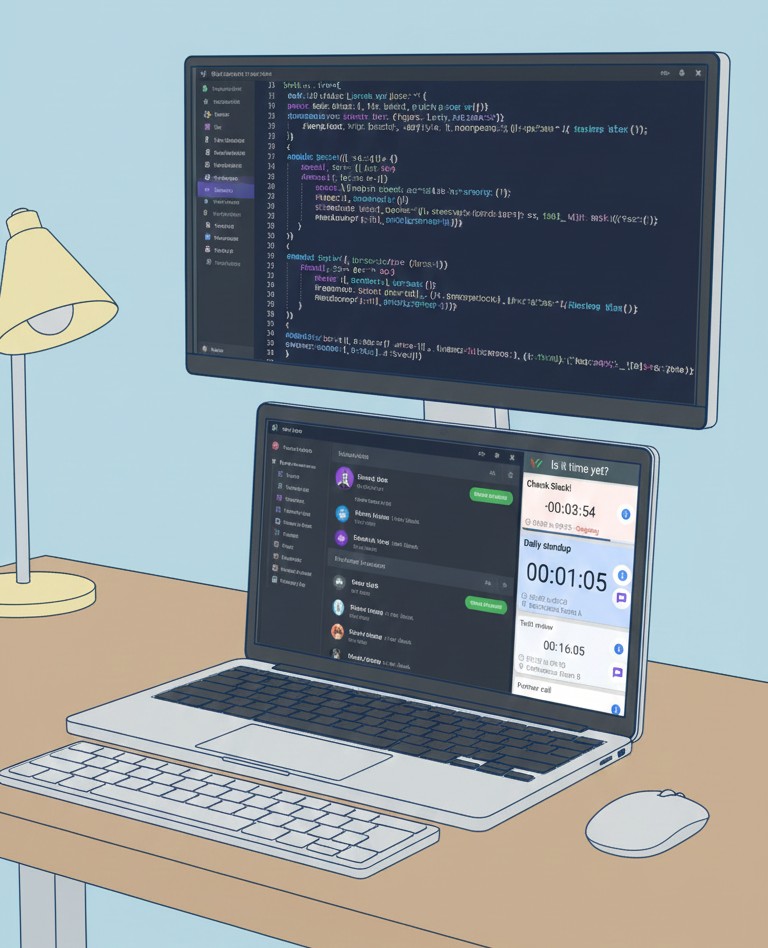
And here is a preview:
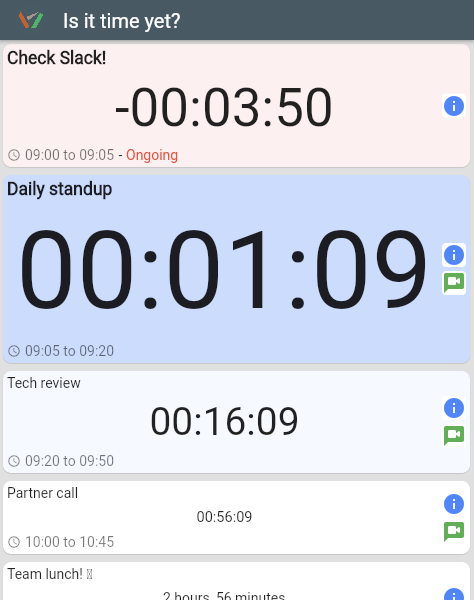
Latest
Features
Connect your Google Calendar to see all your upcoming events with real-time countdowns.
Dynamic countdown timers that change size and color based on how soon your events are approaching.
Visual indicators: blue for upcoming, yellow for soon, red for ongoing or late.
Book and manage meeting rooms directly from your calendar events. Support for multiple rooms and fast one-click booking.
One-click room booking that automatically selects the first available room from your prioritized list.
Customize countdown sizes, colors, and timing thresholds to match your preferences and workflow.
Eye-friendly dark theme to reduce eye strain, especially during long work sessions.
The screen can flash when any event is coming up shortly, ensuring you never miss important meetings.
Hear a ping when it's about time for a meeting, even when you're not looking at the screen.
Save your settings and use them across different devices. Your preferences sync automatically.
View and manage events from multiple Google Calendars in one unified view.
Hide events you don't want to see, keeping your view focused on what matters most.
An immersive fullscreen display perfect for dedicated displays or presentation setups.
Visual features
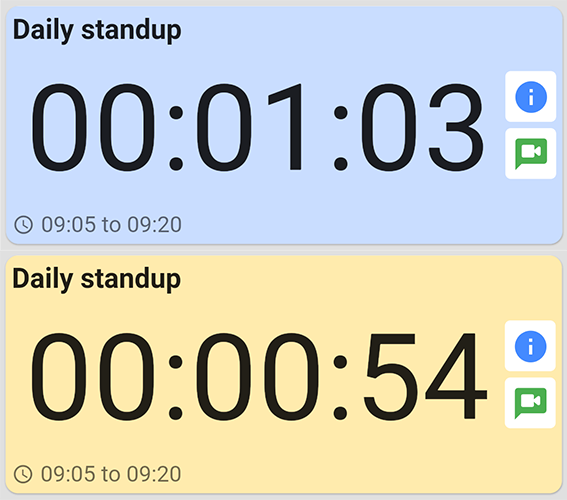
Different colors for different states!
Blue for an upcoming meeting, yellow for when it's about to start, and
red for when you're late!
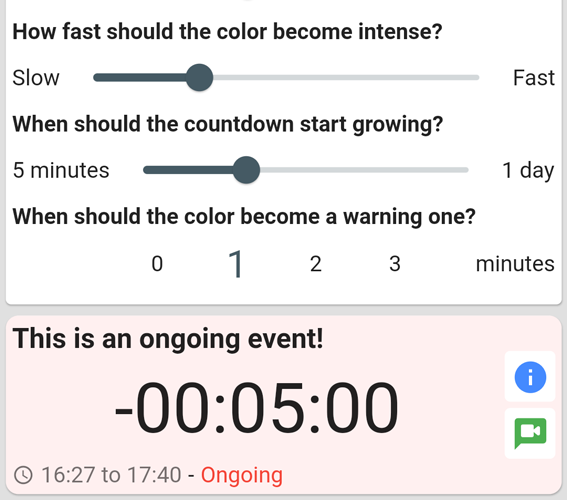
You can customize your countdowns, their size and color variations, to make sure you don't miss them.
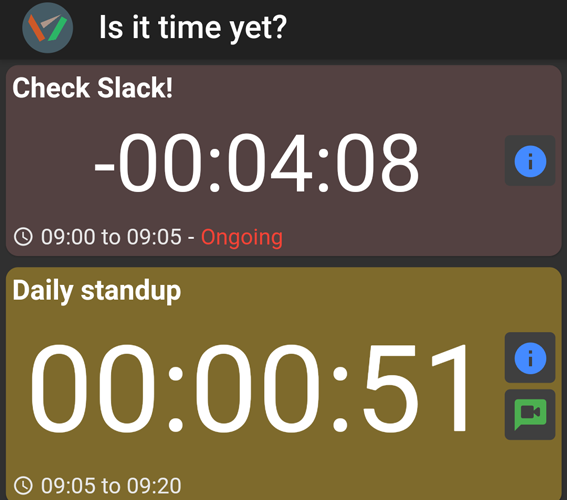
We have dark mode, for those who fancy it!
Don't tire your eyes for no reason 😁
lock Security and privacy
To keep your Google Calendar access secure, we require you to create a PIN code when you first sign in. Your Google OAuth refresh token is stored in our database, encrypted using your PIN code. This means that even we cannot access your token without your PIN. The encryption happens entirely on your device, ensuring your credentials remain private and secure.
We store the refresh token so you don't have to re-authorize the app every time you log in. This is a requirement because the Google OAuth sign-in flow has changed in recent years (see Google's OAuth 2.0 documentation). Without storing the refresh token, you would need to go through the authorization process each time you use the app.